OnePlus Pad 4 review: Big on power and performance
OnePlus has launched the Pad 4 tablet, and if you have seen the Pad 3, the familiarity is immediate. This is not a tablet that tries to redefine the category or even reinvent OnePlus' own formula. Instead, it focuses on a narrow set of upgrades, which makes sense given how recently the Pad 3 arrived. The changes are centred around performance and endurance. You get a newer chipset, a larger battery, and a slightly brighter display. Everything else stays largely unchanged, from the design language to the display size and overall handling. Even the core experience feels carried over, with only a new colour option adding any visual difference. That also brings the conversation to value. With a small price increase this time, the Pad 4 positions itself in a space where it has to justify itself through refinement rather than novelty. Whether it manages to do that is what this review aims to explore.
OnePlus Pad 4 review: Design
The OnePlus Pad 4 sticks closely to the design language of the Pad 3, but it does get a new finish in the form of "Dune Glow," which brings a soft chocolate-brownish tone that feels more premium and a bit more refreshing compared to the usual muted options. It still follows a minimal, clean aesthetic, and the large display combined with slim edges gives it a fairly striking presence in hand.
Despite its big footprint, the tablet remains impressively slim at 5.94mm and weighs 672g, so it doesn't feel overly heavy for its size. The weight distribution is well-balanced, which helps when holding it in portrait or landscape for extended periods.
OnePlus has also shifted towards curved edges instead of the flat-sided design trend we are seeing on many recent devices. This change actually helps in real-world handling, as the curved frame sits more comfortably in the hand and improves grip, especially during longer usage sessions.
Build quality feels solid, and the overall design still sticks to that simple, clean OnePlus approach. The rear camera module is neatly integrated and sits almost flush with the back panel, so there is minimal wobble when the device is placed on a flat surface. The matte finish also does a good job of keeping fingerprints and smudges under control.
However, not everything has changed. There is still no cellular variant, which limits its flexibility on the go. More importantly, the absence of any fingerprint sensor continues to feel like a missed opportunity at this price point. Relying on a PIN or pattern to unlock the device quickly becomes inconvenient in daily use, especially for a tablet meant for productivity and frequent unlocking.
Even with these drawbacks, the overall design is still strong. It looks clean, feels premium, and remains one of the better-built large tablets in its segment, even if a few practical features are still missing.
Display
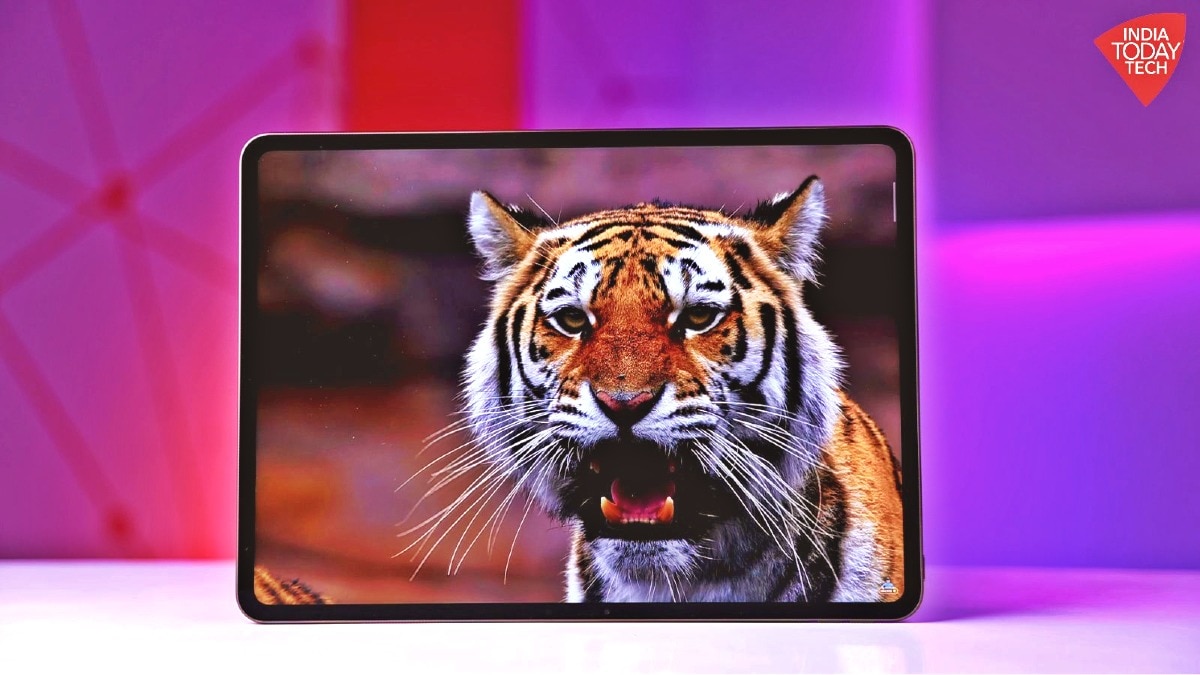
The OnePlus Pad 4 sticks to the same 13.2-inch LTPS LCD panel as before, and while that might sound like a safe choice on paper, the overall experience still holds up well in day-to-day use. You get a sharp 3.4K resolution paired with a 144Hz refresh rate, which keeps everything from scrolling to app switching feeling smooth and responsive.
Where things have improved is around the display itself. The bezels are now slimmer and more uniform, pushing the screen-to-body ratio up to 89.4 percent. It still uses a 7:5 aspect ratio, which is what I love because this is one of the more practical layouts on a tablet. It gives you extra vertical space, making reading, browsing, and document work feel less cramped compared to traditional 16:10 panels.
On the visual front, the panel supports 12-bit colour depth, which helps with smoother gradients and more refined colour transitions. At around 315ppi, the sharpness is more than enough for a screen this size, so text looks clean and images hold good detail without any obvious softness.
Brightness is where the Pad 4 quietly improves things. Peak brightness now goes up to 1000 nits, with around 700 nits of local brightness. In real-world use, that extra headroom does help. Indoors, it is comfortably bright, and even in situations like sitting in a car or using it near a bright window, visibility holds up better than before. It still isn't an outdoor powerhouse, but the improvement is noticeable.
Colour tuning is fairly restrained. You don't get the overly punchy look some tablets push for. Instead, it leans towards a more balanced output, which works better for long viewing sessions. There is a slight warm tint out of the box, but it is easy to tweak if needed. Viewing angles are solid overall, though I did notice a mild shift if you tilt it aggressively, which is expected from LCD. It is also worth noting that this is still an LCD panel, so blacks won't match OLED levels of depth. That said, contrast is handled well enough that it doesn't become distracting in everyday use.
Overall, the display on the OnePlus Pad 4 isn't trying to reinvent anything, but it doesn't need to. It is sharp, smooth, and reliable, and while it lacks OLED-level drama, it delivers a consistently comfortable experience for media, reading, productivity and gaming.
Performance
Speaking of which, the OnePlus Pad 4 gets a newer flagship Snapdragon 8 Elite Gen 5 chip compared to the previous generation, giving it the kind of hardware upgrade you would expect from a premium tablet refresh. In day-to-day use, that translates into performance that rarely gives you a reason to complain.
General usage feels fast and polished. App launches are quick, multitasking between several apps is smooth, and heavier tasks like handling multiple browser tabs or streaming high-resolution content do not slow it down. The tablet maintains the fluid feel you expect from a flagship device, and OxygenOS animations also help make everything feel responsive.
And synthetic benchmark numbers back that up. The Pad 4 scored around 3.8 million on AnTuTu, while Geekbench delivered roughly 11,001 in the multi-core test. In 3DMark WildLife Extreme, it posted 6768, and during CPU throttling tests, it retained close to 81 per cent of its peak performance. In simple terms, the hardware has plenty of headroom and manages sustained loads reasonably well. Users upgrading from much older OnePlus tablets will notice the jump more clearly, while those coming from the immediate predecessor may see less of a dramatic difference in everyday use.
Gaming performance is strong, but the experience depends as much on the tablet's size as it does on raw power. Games like BGMI run well, though competitive shooters can feel awkward on such a large display if you rely only on touch controls. Pairing a wireless controller would likely offer a better experience. Where the Pad 4 feels most natural is with strategy, simulation, and slower-paced titles, where the larger screen becomes an advantage rather than a compromise.
Games like SimCity BuildIt, Whiteout Survival or The Sims Mobile are designed around zooming, placing structures, and managing systems, which feels more natural on a tablet-sized canvas. Even something like Rise of Kingdoms benefits from the extra screen space because you can see more of the world without constant scrolling. In fact, when I played a dress-up game in the Roblox app with my niece on the tablet, I assumed it would be a light experience. But after about 40 minutes, I noticed the device had gotten quite warm. This is likely because games on Roblox are constantly loading player avatars, outfits, textures, and effects in real time, which keeps the processor working in the background far more than the simple visuals suggest. Overall, you can expect reliable performance from this device.
Audio
The OnePlus Pad 4 gets a lot right when it comes to audio. Its 8-speaker setup produces a wider and cleaner sound than what you typically expect from a tablet, which immediately helps while watching films, catching up on YouTube, or playing games. Voices come through clearly, background effects have enough space to breathe, and the stereo effect is noticeable enough that content does not feel like it is being pushed from a single side. It is the kind of tuning that works well for everyday entertainment rather than trying too hard to impress with exaggerated bass.
There is enough volume here for most indoor environments, and you likely will not need headphones for casual viewing or video calls. The speakers stay fairly composed through most of the volume range, although the top end can get a little sharp once you start pushing close to maximum. Low-end response is decent for a tablet, adding some body to soundtracks and music, but it still lacks the deeper rumble and fullness you would get from a good Bluetooth speaker or a proper pair of headphones.
In day-to-day use, the OnePlus Pad 4 is a solid performer and easily good enough for binge-watching or gaming on the go. If speaker quality matters to you, this is one of the better tablet experiences in its category, even if serious listeners will still want external audio gear.
Stylus
Along with the OnePlus Pad 4, OnePlus also introduces the Stylus Pro, which is one of the more meaningful upgrades this time. It offers 16,000 levels of pressure sensitivity, which means it can pick up very fine differences in how hard you press on the screen. In use, this makes sketching feel more natural, especially while doodling or shading on the large canvas of the tablet.
The stylus has a decent weight balance, but it could have been a bit lighter and slimmer for a more comfortable grip during longer writing or drawing sessions. I do like the improved tip, which feels more precise on the screen and adds a slightly more tactile feedback (vibration intensity while writing on Notes app) while writing or scribbling, making it feel closer to using a real pen on paper.
Performance-wise, the stylus is reliable with minimal lag, and palm rejection works well even when your hand is resting on the display while writing. There are also practical additions like magnetic attachment to the tablet and the Laser pointer feature for teaching something to a kid, which make everyday usage more convenient.
Camera
The OnePlus Pad 4's camera setup is very much in line with what you expect from a tablet, meaning it is functional rather than impressive. The 13MP rear camera can handle quick shots, but detail levels and dynamic range are limited compared to even mid-range smartphones. Colours tend to look slightly flat, and low-light performance drops quickly, so it is not something you would rely on for serious photography.
The 8MP front camera is more relevant for most users, especially for video calls. It does a decent job in well-lit conditions, with acceptable sharpness and skin tones, but it struggles in dim environments where noise and softness become noticeable. Overall, it gets the job done for meetings and casual calls, but it does not go beyond that. In short, the Pad 4's cameras are serviceable for basic use, but clearly not a focus of the device.
Battery life
The OnePlus Pad 4 benefits from a larger 13,380mAh battery, and that increase does translate into better endurance in daily use. With a mix of browsing, streaming, and multitasking, it can comfortably last through a full day, while heavier usage still pushes it into the 10-hour range of screen-on time depending on settings and workload.
Charging performance stays consistent with the previous generation. The tablet supports 80W fast charging, which helps offset the bigger battery size. In practice, it takes under two hours to fully charge, making it fairly convenient for a device of this size.
OnePlus Pad 4 review: Is it worth buying?
The OnePlus Pad 4 is a solid but restrained upgrade over the Pad 3. It brings better performance, improved battery life, and a slightly brighter display, while keeping the same overall design and experience.
It is a dependable tablet for media, work, and gaming, but the lack of a fingerprint sensor, no cellular option, and minimal changes make it feel more like a refinement than a true upgrade. If you are on an older OnePlus tablet, it makes sense to buy the Pad 4 model. If you already have the Pad 3, there is little reason to switch.